
Hermes
- Visit Hermes and download and run the Desktop Client
https://hermes-agent.nousresearch.com/
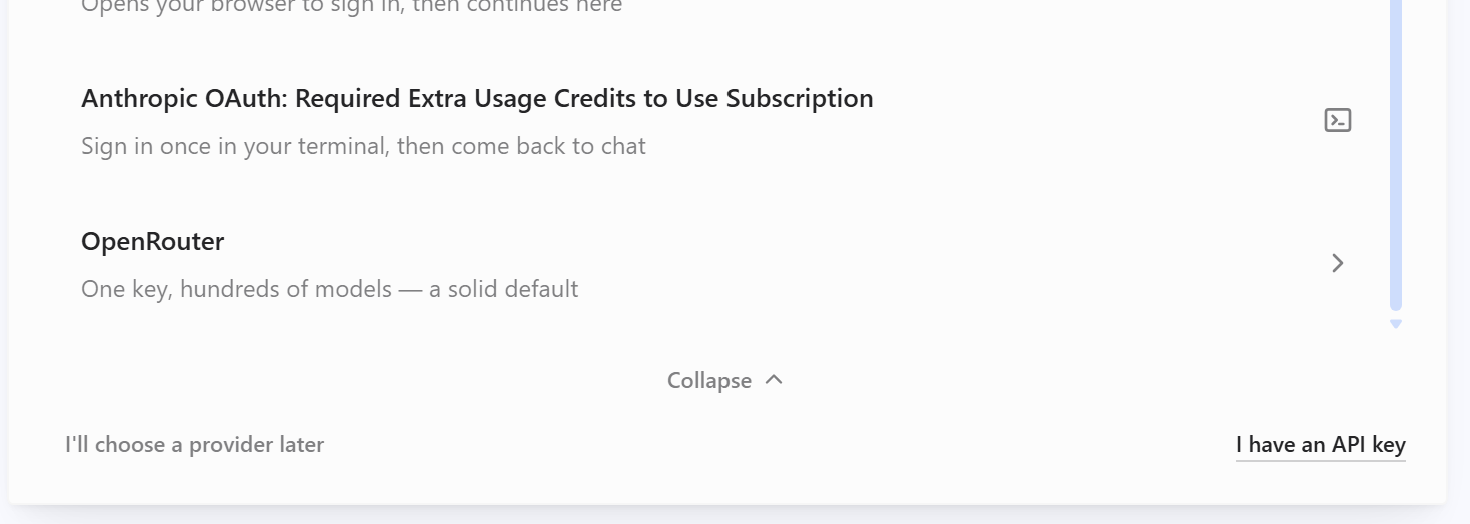
Select "I have an API Key" bottom right
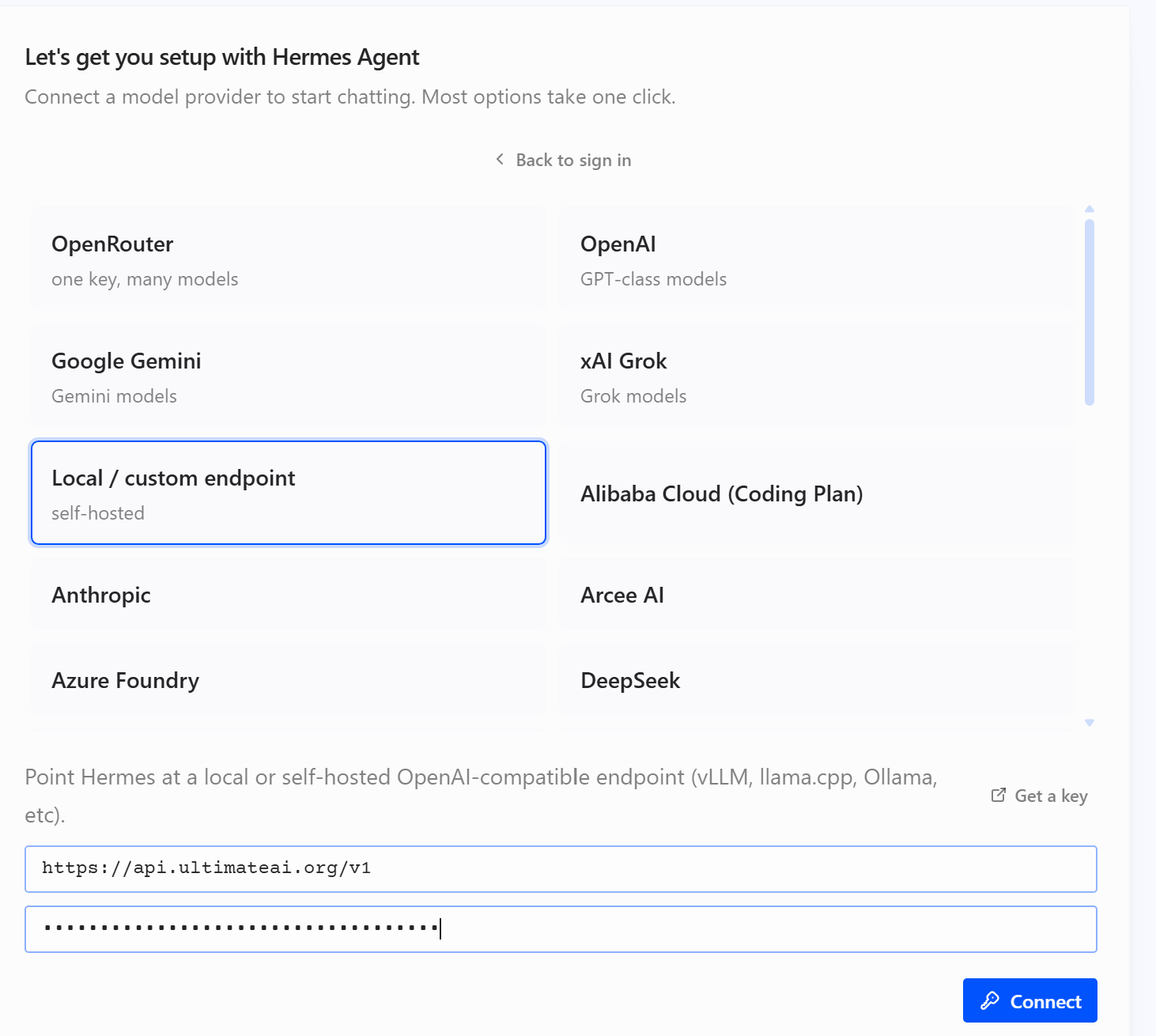
Select "Local / Custom" endpoint
Enter the endpoint as "https://api.ultimateai.org/v1"
Enter your API key and press "Connect"
Important
Click the COG top-right to enter "Settings"
Select "Model" and change the provider from "Custom" to "Api.ultimateai.org"
You may also select a model.
Takes Effect for the NEXT session
