Claude Desktop
- Download and Install and open Claude Desktop, but don’t sign in.
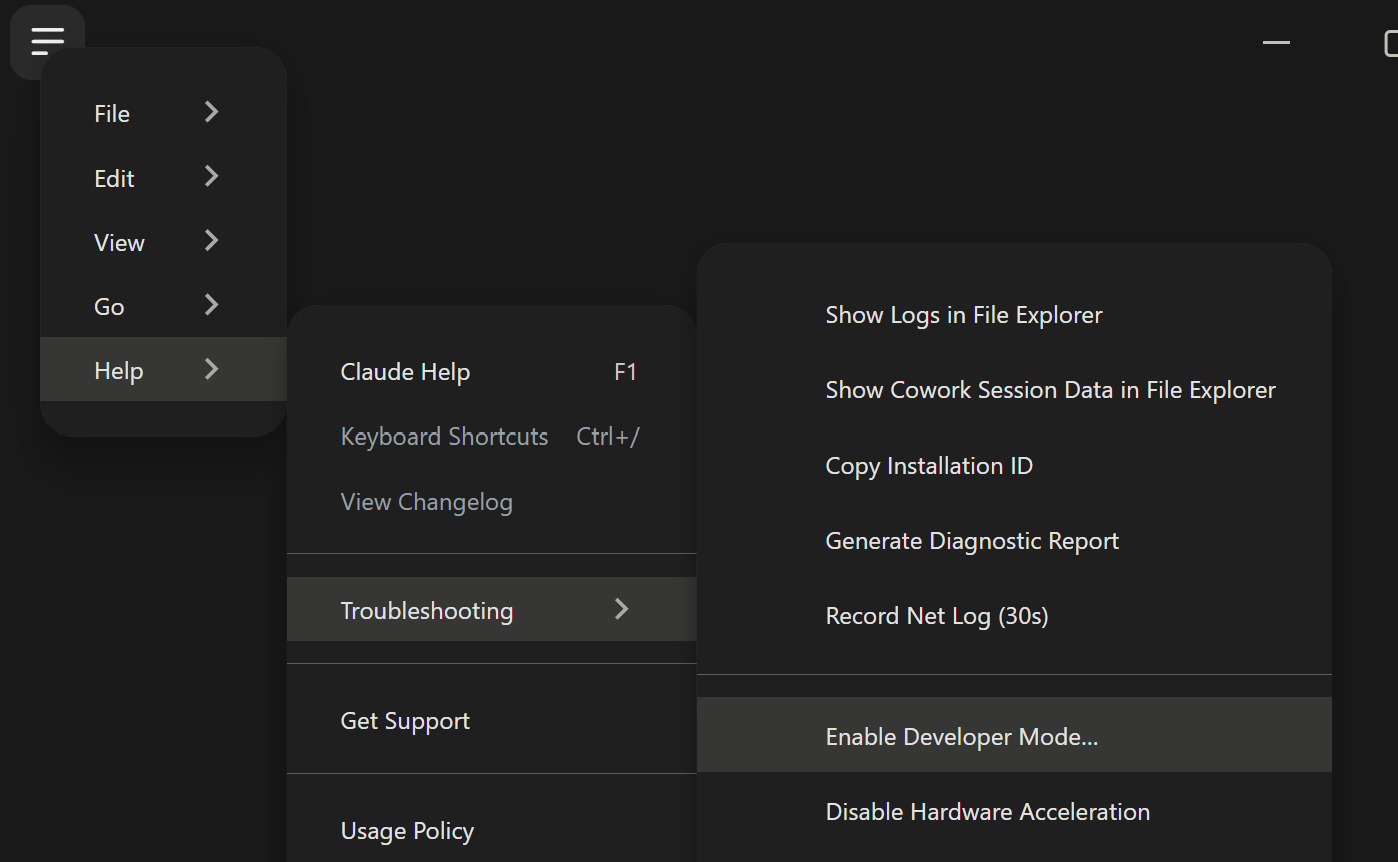
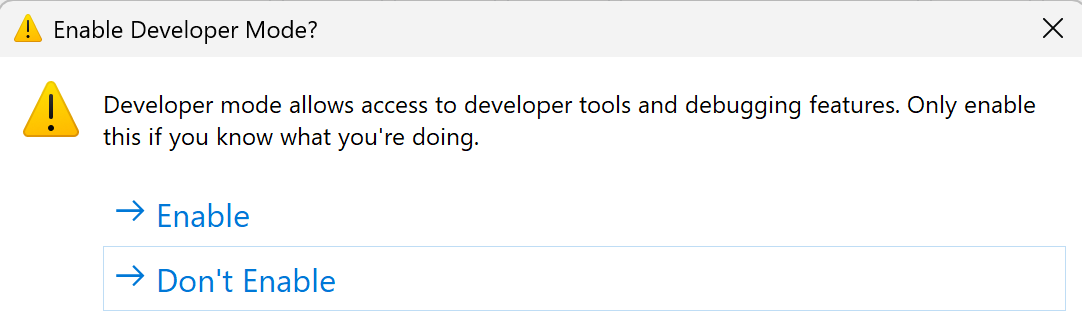
Open Help → Troubleshooting → Enable Developer Mode.
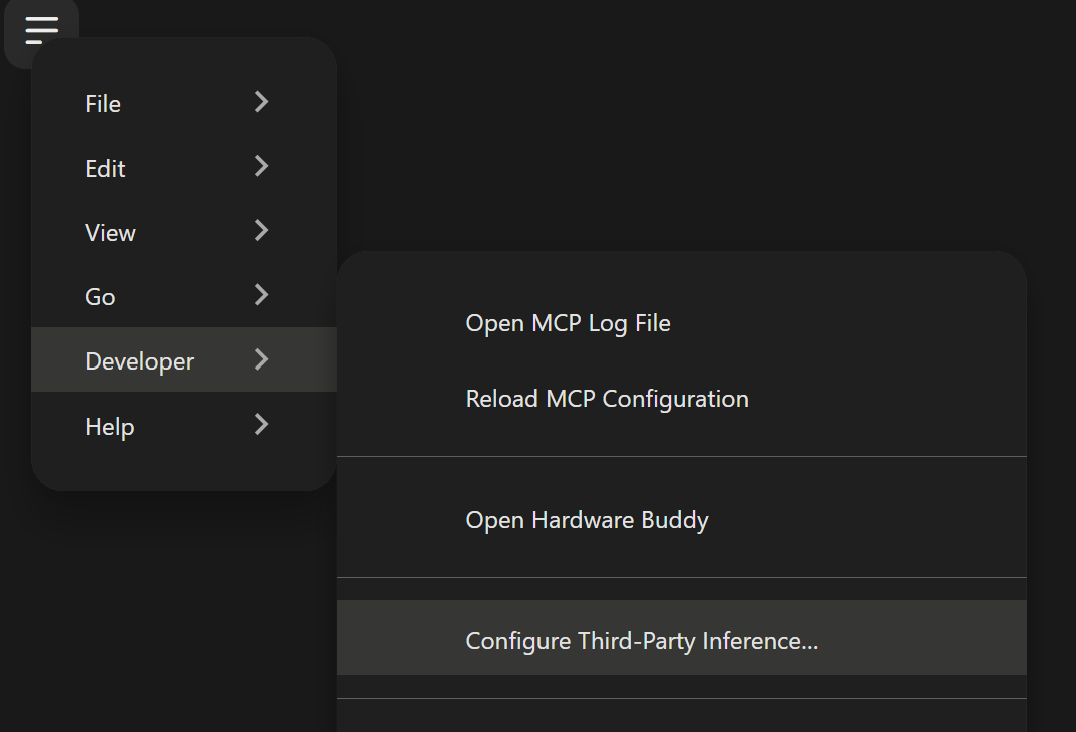
Open Developer → Configure Third-Party Inference….
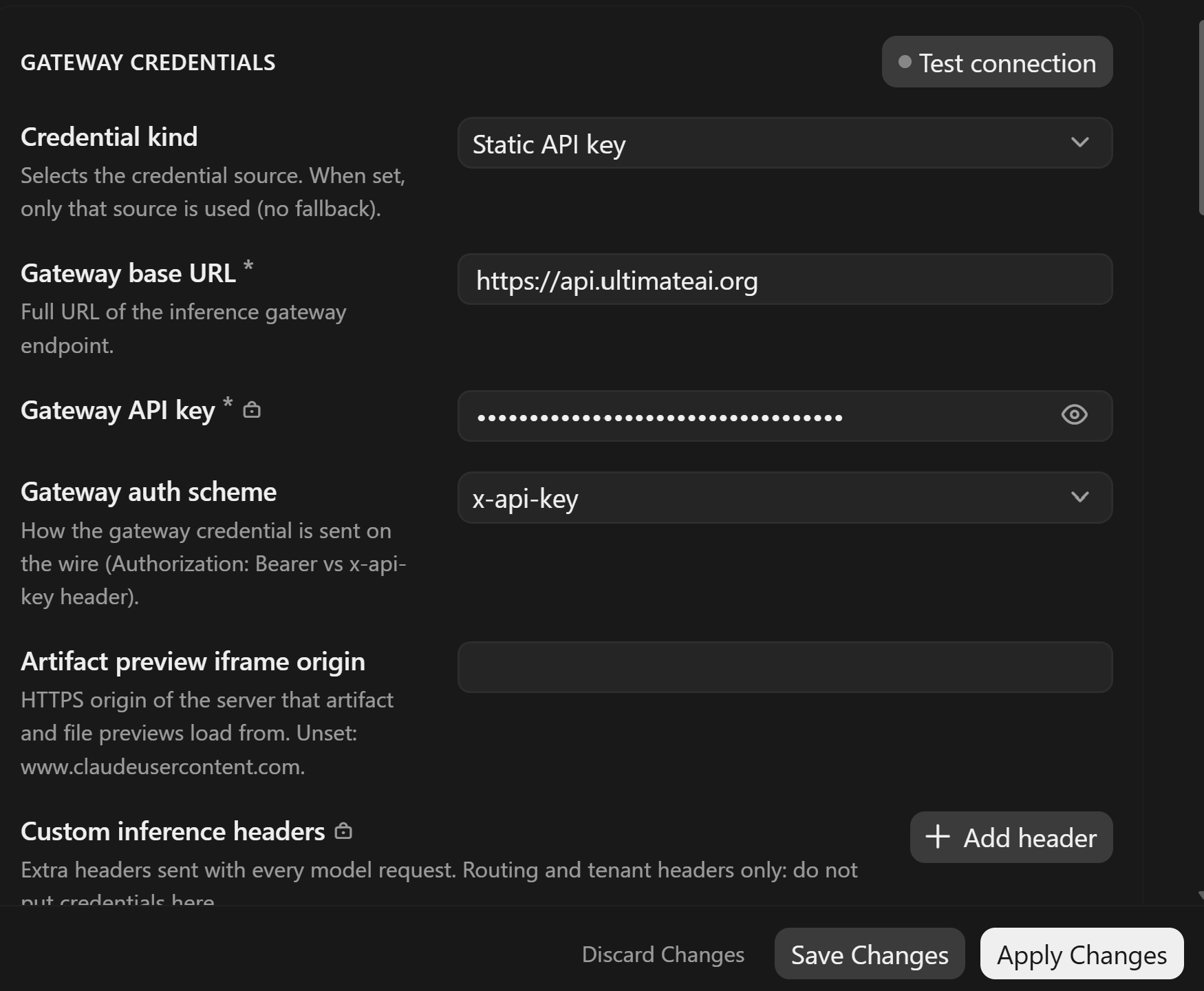
In Connection, set:
Inference provider:
GatewayGateway base URL:
https://api.ultimateai.orgGateway API key: enter your Ultimate AI key/ObsidianAI Tools Key
Click Apply Changes, then Save & Restart. After restart, choose the option to start in Claude Desktop
Refer to the below screen shots for examples.